ViViPOS Australia
  • Features
    • Features & Benefits
    • Business Types >
      • Cafe or Coffee Shop
      • Wine Bars & Clubs
      • Butcher or Deli
      • Fast Food Takeaway
      • Retail Grocery Store
      • Pubs & Hotels
      • Restaurants
      • Fish & Chip Shop
    • Screenshots
    • Online Demo
    • Integration >
      • ViViMobile
      • YQme Online Ordering
      • SmartPay EFTPOS
      • PayPal Check In
      • ViViConnect
      • ViViTrend Cloud Reporting
      • LoyaltyClubV
    • Peripheral Hardware
    • Customisation
    • Suggestion Box
  • Pricing
  • Customers
  • Resources
    • ViViPOS Blog
    • Tips & Tricks
    • FAQs
    • POS Buyers Guide
    • ViViPOS Setup Form
    • Knowledgebase Portal
    • Business Development
    • Client Referral
    • Support Request
    • Warranty Registration
  • Contact

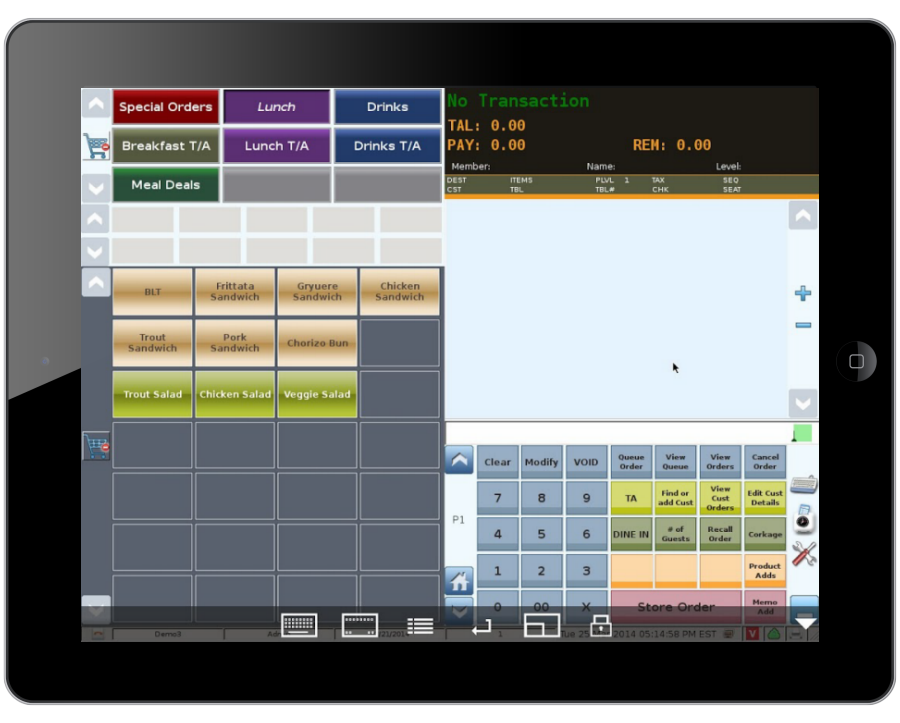
How to create a FREE iPad ViViPOS

This trick will let you control your ViViPOS remotely via a VNC connection over wifi on your local network.
It's great if you want to take orders at the table and enter them directly onto your ViViPOS. 
Picture
Picture
Picture
Picture
Download either of these free 'apps' onto you iPad
The instructions below are for the Mocha VNC Lite (but both should work fine)

Picture
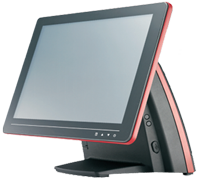
On you ViViPOS Terminal

Go to the Remote Control module in the Control Panel
Picture

Set a remote access password 
Picture
Click image to enlarge
Remember to save

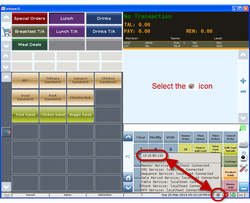
Find your ViViPOS IP address as shown below 
Picture
Click image to enlarge
For 'wired' networks
Picture
Click image to enlarge
For 'wireless' networks

Picture
Select the VNC app 
on your iPad
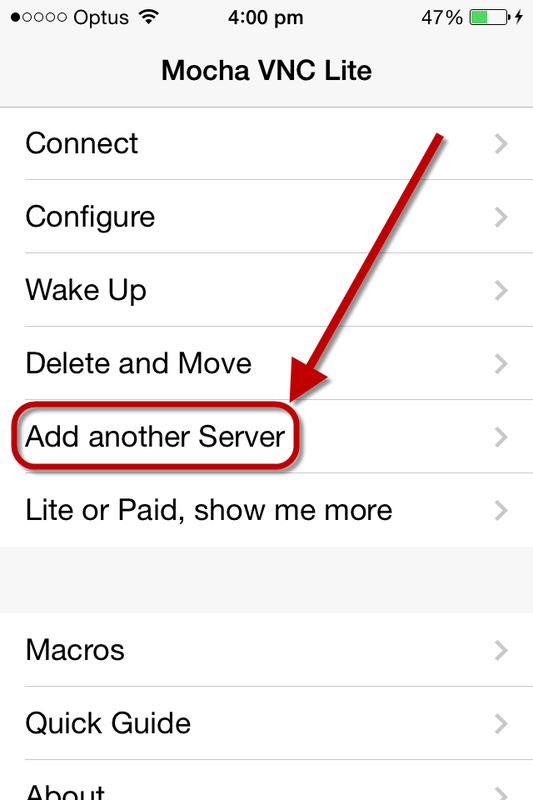
Picture
Select Add another Server
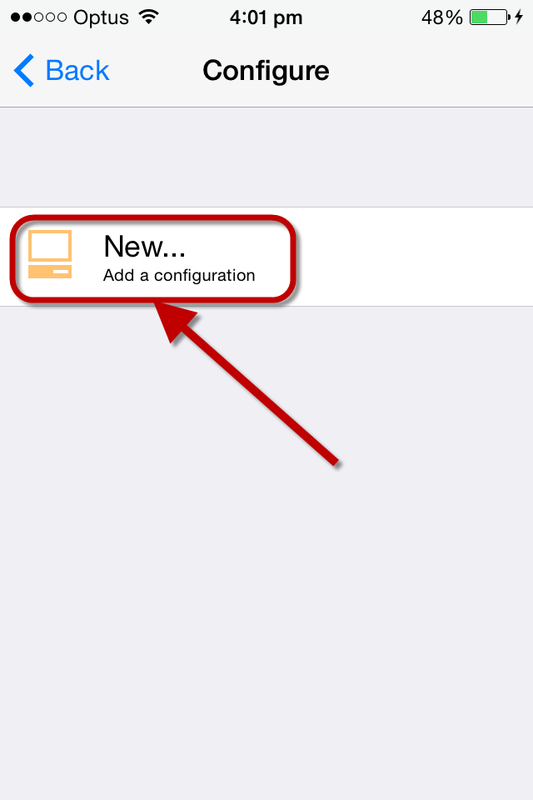
Picture
Select New...
Picture
Type in your ViViPOS terminal IP address and the remote access password you created above
That's it! Just open the VNC app on your ipad (make sure your wifi is on), select connect and you're away. 
Try ViViPOS for FREE
HOME PAGE

ViViPOS BLOG

TIPS & TRICKS

KNOWLEDGEBASE PORTAL

    Contact Us

    Phone: 02 8599 9771
    Email: [email protected]


    Send us a message
Submit Now
ViViPOS Brochure
Try ViViPOS Demo
Book Private Demo
Contact
Phone 1300 736 119
Ground Floor, 
Unit 1B, 50 Atchison St
St Leonards, Sydney NSW 2065
Authorised Dealers
Hycom Equipment Pty Ltd
Laxxon Integrated Systems
Express POS Solutions
Point of Sale Australia
Partners
Dealers & Resellers
Developers & Integrators
Client Referral Form
Take a Tour
Features & Benefits
ViViPOS Screenshots
Pricing & Bundles
iPad Ordering
Cloud Services
Docket & Label Printers
Scanners & Scales
Modules
Club-V Loyalty Module
Mint mPOS Mobile Payments
Tyro Integrated EFTPOS 
PayPal Check-In
Business Types
Cafe POS System
Restaurant POS System
Retail POS System
Nightclub POS System
Fish & Chip Shop POS System
Fast Food POS System
Wine Bar POS System
Pub & Hotel POS System
Coffee Shop POS System
Butcher POS System
Delicatessen POS System
Fine Dining POS System
Grocery Store POS System
Resources
ViViPOS  Blog
Tips & Tricks
FAQ's
POS Buyer's Guide
FREE Online Demo
ViViMoblie Demo
ViViPOS Set-Up Form
Need Help
Contact Us
Book a Private DEMO
New User Training
Knowledge-base Portal
Repairs & Maintenance
Email Support

BACK TO TOP

Copyright © 2015 ViViPOS Australia | Privacy Policy | Sitemap| Design by Northstar Business Solutions